$10
Navy_01 for Lightroom
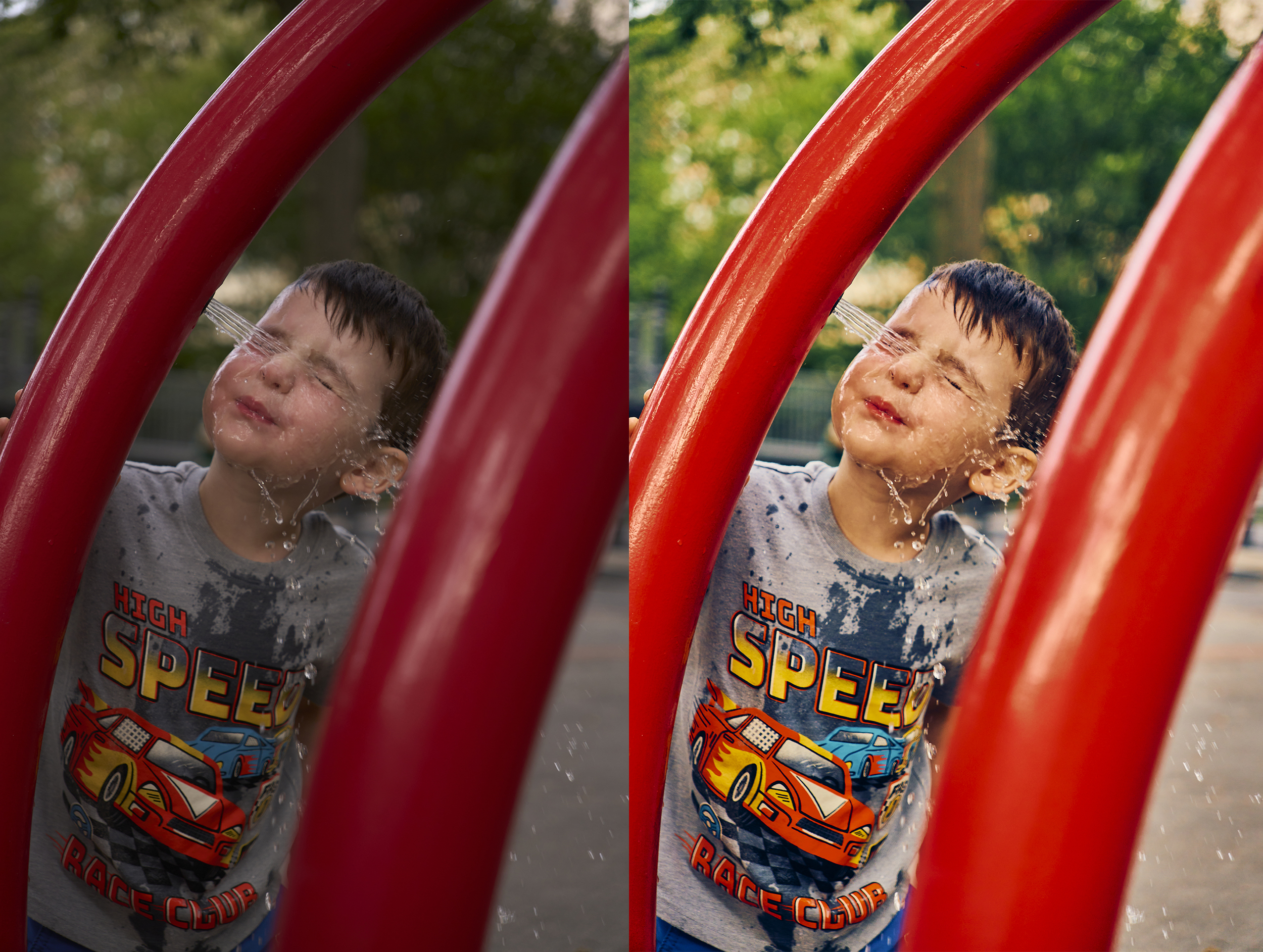
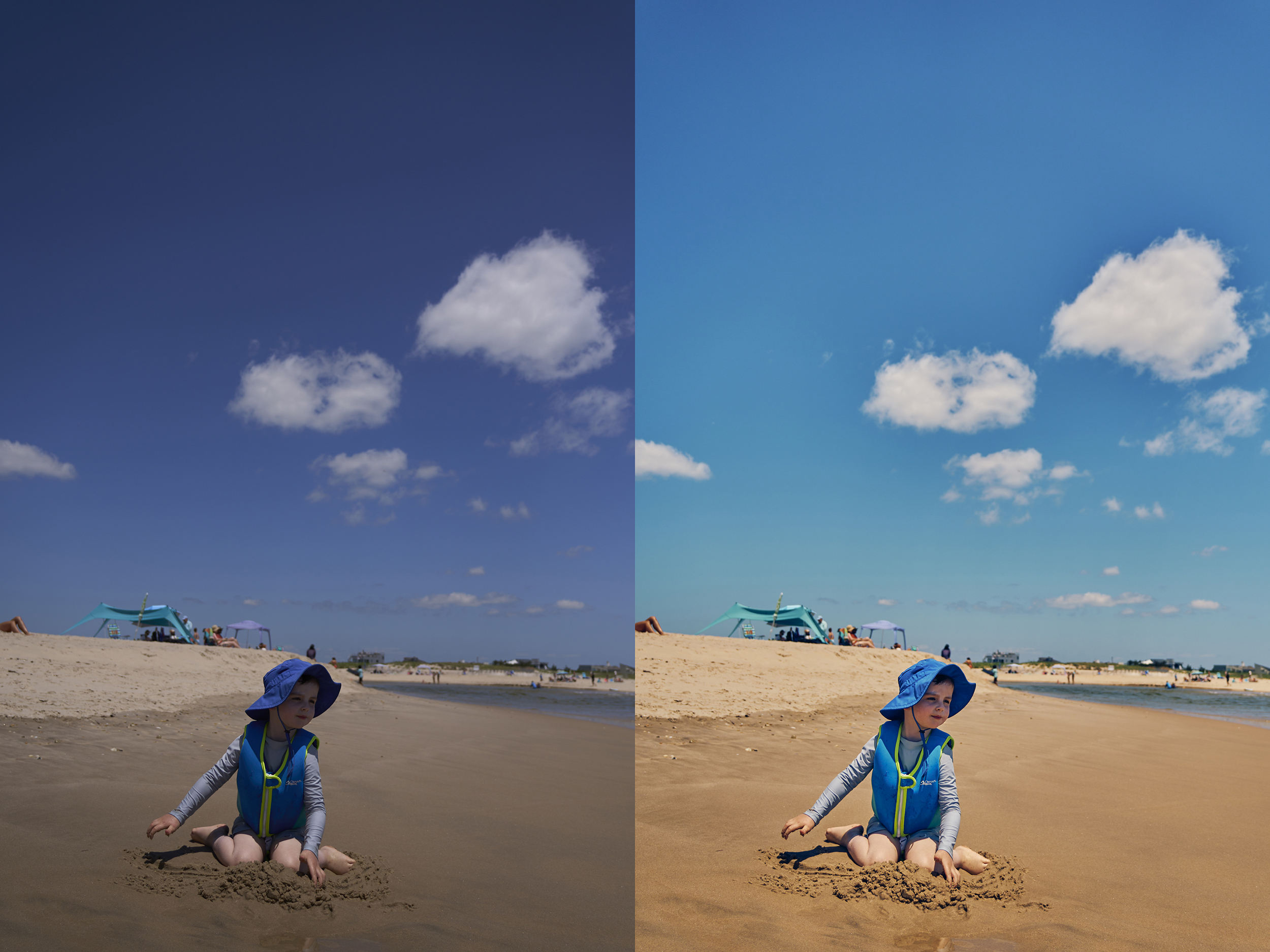
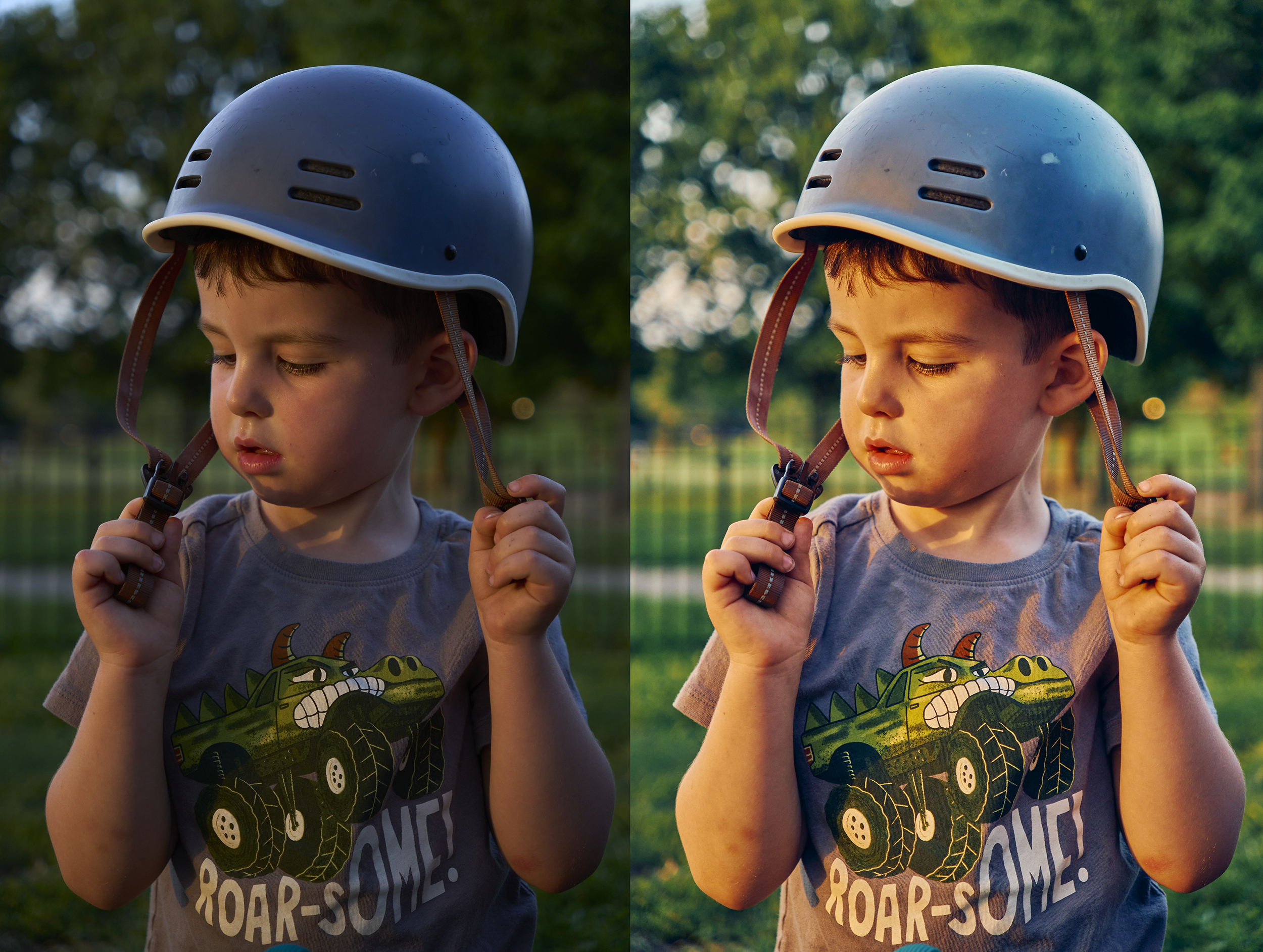
This singular preset is the fastest way to get rich, modern colors in less than 10 seconds.
This preset for Lightroom is what I use on absolutely everything for the last several years. Rich hues, flawless skin tones, and elegant colors. It works in a variety of lighting conditions, and always leads to stunning results.
It is designed to be used with RAW files from a variety of cameras.
This preset beautifully blends the feeling of film emulation with modern clarity and saturation. I don't typically love most film presets as they muddy colors in the photograph and add too much contrast.

To install:
Lightroom on Mac or Windows:
Open Lightroom and select an image. Click on File > Import Profiles and Presets. Navigate to Navy_01_Lightrooom, then select it. Open the “Presets” panel on the right side and click on a preset to apply it.
If you have any questions, please feel free to email me at navyblueworkshop@gmail.com
Thank you, have a fantastic day, and most importantly, be well.
-Navy Workshop